
Daily check-in: 15 free credits · Claim every day for AI images. Credits never expire. Resets at 00:00 UTC.
AI Video Templates
Pick a template, describe your video in one sentence, and AI fills in the text, colors and timing. Check the frames, edit anything, then render a vertical MP4.
Images (optional)0/1
Pick from your AI images or upload JPG, PNG or WebP. They play in this order.
0/600
Writing the copy and checking frames are free. Only the final render uses credits.
Your video plays here
Pick a template, describe your video and let AI write the copy. Check the frames, then render.
History
Your rendered videos will show up here.
How AI video templates work
- 1
Pick a template
Choose a product promo, kinetic text, logo intro, data chart, chat story or image slideshow. Every AI video template is built for 9:16 vertical video.
- 2
Describe your idea
Write one or two sentences about your product, message or story. AI writes the headline, the lines and the call to action for free, in the language of this page.
- 3
Check the frames
AI looks at four still frames before you pay and fixes text that is cut off, hidden or hard to read. Edit any word, color or number yourself.
- 4
Render the MP4
Render a 1080x1920 MP4 ready for TikTok, Instagram Reels and YouTube Shorts. Change the text later and render it again in one click.
Six AI video templates to start with
Each AI video template is a tested layout with motion, timing and type already designed. AI only writes the content, so every video stays sharp, on brand and easy to edit.

Product promo
A 15-second promo with your brand, a headline, three selling points and a call to action. Add a product photo to put it on screen.

Kinetic typography
Short phrases that land one after another with one key word in color. Good for quotes, hooks and announcements.
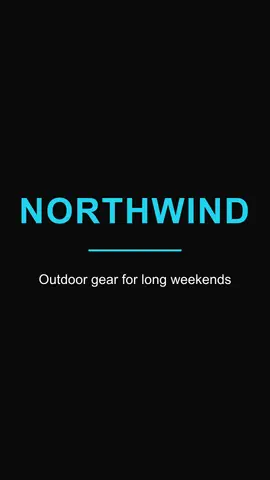
Logo intro
A 5-second reveal for your logo or wordmark with a tagline. Use it to open or close any video.
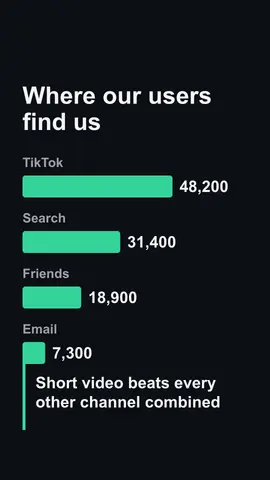
Data story chart
An animated bar chart with a title, 3 to 6 values and a one-line takeaway. Turn a number into a story people remember.
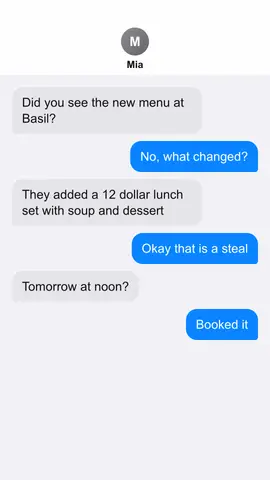
Chat message story
A text conversation that plays bubble by bubble. Great for skits, customer stories and before-and-after moments.

Image slideshow
Turn 3 to 10 of your AI images or uploads into a moving slideshow with captions and smooth transitions.
What people make with AI video templates
Product launches
Announce a new product or feature with a promo that names the problem, shows three benefits and ends on your offer.
Social hooks and quotes
Turn a strong line into kinetic text that stops the scroll, then post it as a short video instead of a static image.
Reports and results
Show growth, survey results or before-and-after numbers with a chart video that explains itself in a few seconds.
Stories from your AI images
Collect images from the AI image generator and turn them into one slideshow video with a title and captions.
More ways to create
AI Video Generator
Generate realistic video clips from text or an image with leading video models.
AI Image Generator
Create images for your slideshow template or your product promo.
TikTok Carousel Maker
Turn one topic into a photo carousel and send it to your TikTok drafts.
Pricing
See credit packs and plans for rendering more videos.