
Daily check-in: 15 free credits · Claim every day for AI images. Credits never expire. Resets at 00:00 UTC.
Kinetic Typography Generator for Animated Text Videos
This kinetic typography generator turns one idea into a full-screen animated text video, one phrase every 1.5 seconds with a highlighted key word. AI writes the phrases for free, a frame check fixes anything that overflows, and you render an MP4 in 9:16, 16:9 or 1:1.
0/600
Writing the copy and checking frames are free. Only the final render uses credits.
Your video plays here
Pick a template, describe your video and let AI write the copy. Check the frames, then render.
History
Your rendered videos will show up here.
A Kinetic Typography Generator for One Phrase at a Time
Kinetic typography works because the viewer reads exactly one thing at a time. This kinetic typography generator gives each phrase the whole screen for 1.5 seconds, then replaces it with the next, so a list of six to ten short fragments becomes one continuous line of thought. A video with six phrases runs 10 seconds, and ten phrases run 16 seconds, which is the sweet spot for a hook, a quote or an announcement on short-form social. The type is large, bold and centered, and the layout adapts to vertical, wide and square frames without any work from you. The result looks like a motion designer built it, but you only wrote the words.
Emphasis Words in Your Accent Color
Each phrase can carry one emphasis word, copied exactly from the phrase, that the kinetic typography generator paints in a highlight color so the key idea pops. In the phrase You have one second, for example, the word one stands out from the rest of the line. If the emphasis word does not match the phrase, the phrase simply stays plain, so a typo never breaks the video. You choose the foreground and background colors yourself, or let AI pick a high-contrast pair that suits the topic. Strong contrast keeps the animated text readable on small phone screens and on bright displays in daylight. Pick colors that suit your brand and the frame check confirms they stay readable.
Slam, Slide or Fade: Three Motion Styles
Pick the style that matches the tone of your message. Slam drops each phrase in with a hard, fast ease, ideal for bold claims, hooks and calls to action. Slide moves phrases across the frame, which suits a story that unfolds step by step. Fade lets each phrase appear softly, best for calm topics, reflective quotes and wellness content. Switching style changes only the motion, never your words, so you can preview the same script three ways before you render. For a typed, letter-by-letter look instead, a quote video from the quote video maker reveals one longer quote line by line.
AI Writes the Script, You Keep Control
Describe your message in a sentence, and Write with AI produces six to ten punchy fragments of two to five words, each with an emphasis word, plus a foreground and background color. Writing is free within a daily limit, and so is the AI frame check that previews four stills and shortens any phrase that would wrap off the screen. After that, every field stays editable: rewrite a phrase, add or remove one, change the emphasis, or swap the motion style. The copy can be written in English or Chinese. When the script reads right, render the MP4 for about 10 credits. Each new draft from AI replaces the fields, so copy any phrase you like before you write again.
How to Make a Kinetic Typography Video
- 1
Choose a frame for the animated text
Select 9:16 for TikTok, Reels and Shorts, 16:9 for YouTube and presentations, or 1:1 for square feeds. The kinetic typography generator needs no photos, so you can go straight to the brief. You can switch the frame later without losing your phrases.
- 2
Write the script in the kinetic typography generator
Type the idea you want to get across and press Write with AI. The kinetic typography generator writes six to ten phrases with emphasis words and colors for free. A free frame check previews four stills and fixes any phrase that does not fit. Prefer to write it yourself? Type the phrases directly into the form.
- 3
Pick a style and render the MP4
Choose slam, slide or fade, tweak any phrase or color, and render. Videos up to 20 seconds cost about 10 credits. To pair your text video with a product scene, try the product promo video maker. The finished MP4 stays in your history, ready to download again or edit and render a new version.
What Can You Make with a Kinetic Typography Generator?
Scroll-Stopping Hooks
Open a video series or a paid ad with a few seconds of bold animated text that names the problem and promises the payoff. Short phrases in slam style catch attention before a viewer has time to swipe away. A kinetic typography generator makes it easy to test several hooks in one afternoon.
Quotes and Manifestos
Turn a brand promise, a mission statement or a favorite line into a text video that people read to the end. In the kinetic typography generator, fade style and a calm color pair suit reflective messages, while slam suits a rallying cry.
Announcements and Teasers
Tease a launch, an event date or a big update with a countdown of short lines that builds to the reveal. Close on your brand with the logo intro maker, or use a breaking news template for a playful news-style twist. Keep the final phrase for the date or the call to action.
Lyric-Style and Story Posts
Tell a tiny story in ten beats, one phrase at a time, and post it as a silent text video that you set to a sound inside TikTok or Instagram. Slide style keeps the story moving forward from line to line. Keep each phrase short so it reads in one glance.
Related video templates
All templates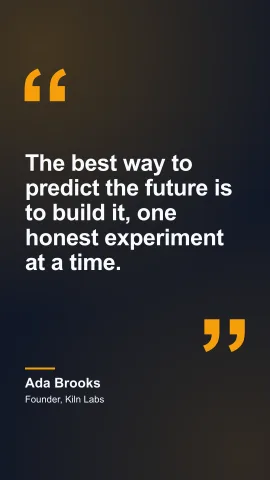
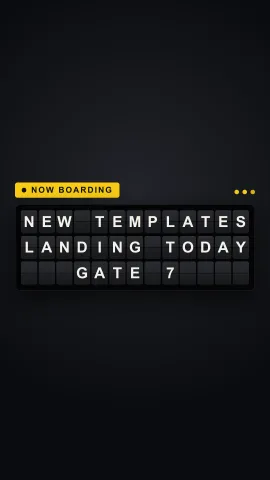
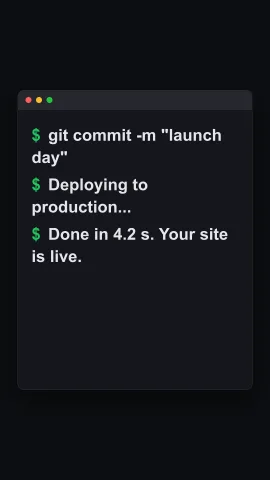
Kinetic Typography Generator FAQ
Create Your Kinetic Typography Video
Write one idea, let AI turn it into punchy animated text for free, choose slam, slide or fade, and render an MP4. Browse every AI video template for more formats.
Make Animated Text