
Daily check-in: 15 free credits · Claim every day for AI images. Credits never expire. Resets at 00:00 UTC.
Product Promo Video Maker: A 15-Second Ad Written by AI
This product promo video maker turns one sentence about your product into a finished 15-second promo with a hook, three selling points and a call to action. Pick a vertical, wide or square frame, add a product photo if you have one, check the frames for free, and render an MP4.
Images (optional)0/1
Pick from your AI images or upload JPG, PNG or WebP. They play in this order.
0/600
Writing the copy and checking frames are free. Only the final render uses credits.
Your video plays here
Pick a template, describe your video and let AI write the copy. Check the frames, then render.
History
Your rendered videos will show up here.
A Product Promo Video Maker Built on Three Scenes
Every promo this product promo video maker produces follows the same tested structure: a hook from 0 to 4 seconds, three selling points from 4 to 11 seconds, and a call to action from 11 to 15 seconds. Your brand name sits at the top, the headline lands as one large benefit statement, the selling points arrive one by one with numbered markers, and the closing card shows your brand with a pill-shaped call to action button. Because the timing and type are already designed, you never fight a timeline or nudge keyframes. You only decide what the promo says, and the template handles motion, spacing and pacing so the video reads clearly on a phone in a single view.
AI Copy from the Product Promo Video Maker
Type a short brief such as what the product is, who it is for and what makes it different. Write with AI then fills every field of the promo for free: a headline written as one clear benefit, three concrete selling points that start with a noun or a verb, a call to action of two to four words, and an accent color that suits the product and reads well on a dark or light theme. Each line respects the on-screen length limits, so nothing spills off the frame. If you want a different angle, change the brief and write again, or edit any line by hand. The copy can be written in English or Chinese, matching the language of the page you use.
Show Your Product Photo in the Promo
A promo works better when people can see the thing you sell. Add one product photo from your uploads or from images you created with the AI image generator, and the template places it in the hook scene with a soft glow in your accent color behind it. The photo is scaled to fit, never cropped, so packaging and logos stay intact. JPG, PNG and WebP files up to 10 MB work. The photo is optional: without one, the headline takes the stage on its own, which suits services, apps and offers that have no physical product to show. Either way, the same layout adapts to all three frames automatically.
Free Frame Check Before You Pay
Before any credits are spent, a free AI frame check renders four stills from across the promo, at 2.5, 6.2, 10.4 and 13.5 seconds, and looks for text that is cut off, hidden or hard to read. When a headline wraps too far or a selling point runs long, it shortens the line for you, so the final video matches what you saw in the preview. You can edit any word, switch between the dark and light theme, or pick a new accent color, then render the MP4. If you need a longer ad with more scenes and footage, try the AI video ad generator instead.
How to Use the Product Promo Video Maker
- 1
Pick a frame and add a product photo
Choose 9:16 for TikTok, Reels and Shorts, 16:9 for YouTube and websites, or 1:1 for feeds. Then add an optional product photo from your uploads or your AI images, so the promo can show what you sell in the opening scene. The frame changes only the layout. Your copy and photo carry over if you switch later.
- 2
Write the promo copy with AI
Describe your product in a sentence or two and press Write with AI. The headline, three selling points, call to action and accent color appear in the form for free. The free frame check then previews four stills and fixes any line that does not fit. Prefer to write it yourself? Skip the AI and type each field directly.
- 3
Edit and render your product promo video
Change any word, theme or color, then press Render. A 15-second promo costs about 10 credits and arrives as an MP4 you can download. To make a set of promos for different products, browse the other AI video templates. The finished file stays in your history, so you can download it again or edit and render a new version.
What Can You Make with a Product Promo Video Maker?
Launch Announcements
Introduce a new product or feature with a promo that leads with the benefit, lists three reasons to care, and ends with a clear next step such as Order today or Join the waitlist. Render the vertical version for social posts and the wide version for your website hero or launch email. Keep the same brand and accent color across every promo so viewers learn to recognize your posts.
E-commerce Product Ads
Turn a single product photo into a short promo for a store page, a marketplace listing or a paid social test. Make several versions with different hooks and selling points, then keep the one that performs best. Pair it with a customer testimonial video to add social proof.
App and Service Promos
Software, courses and services rarely have a product shot, and they do not need one. Leave the photo slot empty and let the headline and selling points carry the message on a clean dark or light background. Close the video with a branded sting from the logo intro maker.
Seasonal Offers and Sales
Weekend sales, holiday bundles and limited offers need fresh promos fast. Change the brief to the new offer, write the copy again with AI, and render a new MP4 in minutes. The structure stays the same, so every promo in your campaign looks consistent. The product promo video maker keeps each new promo to the same tested 15-second rhythm.
Related video templates
All templates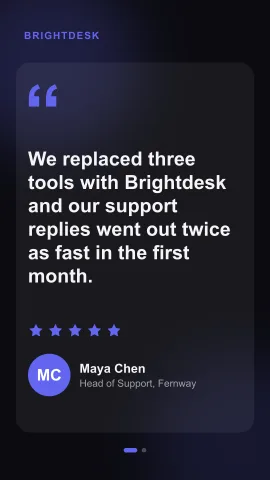
Product Promo Video Maker FAQ
Make Your Product Promo Video Now
Describe your product, let AI write the hook and selling points for free, check the frames, and render a 15-second MP4 in vertical, wide or square format. Want more ideas? See all AI video templates.
Create a Product Promo