
Daily check-in: 15 free credits · Claim every day for AI images. Credits never expire. Resets at 00:00 UTC.
Event Promo Video for Launches, Meetups and Shows
This event promo video template tells people what is happening, when and where, in 13.5 to 18.5 seconds. Paste the details, let AI write the hook and highlights for free, add a venue photo if you have one, and render an MP4 in 9:16, 16:9 or 1:1.
Images (optional)0/1
Pick from your AI images or upload JPG, PNG or WebP. They play in this order.
0/600
Writing the copy and checking frames are free. Only the final render uses credits.
Your video plays here
Pick a template, describe your video and let AI write the copy. Check the frames, then render.
History
Your rendered videos will show up here.
An Event Promo Video in Three Scenes
A good event promo video answers three questions fast: what is it, why should I come, and when and where is it. This template follows that order. The hook runs for the first 4 seconds and shows the event name on a date card, with an optional tagline of up to 60 characters. Two to four highlights follow for 2.5 seconds each, such as a keynote, a workshop or free drinks at the door. The last 4.5 seconds hold the details: the date, the time and the place, each with its own icon, and a call to action button. Two highlights make a 13.5-second video, and four make 18.5 seconds. Event names hold up to 40 characters, so a full conference title fits on the card.
Your Venue Photo or Accent Shapes
Add one background photo, such as the venue, last year's crowd or the stage, and the event promo video plays over it with a slow push-in and a soft scrim, so the text stays readable. JPG, PNG and WebP files up to 10 MB work, from your uploads or from images you create with the AI image generator. Without a photo, the background shows moving shapes in your accent color, which suits online events and webinars that have no venue to show. The photo is cover-cropped to fill the frame, so keep the main subject near the center. Pick a dark or light theme and one accent color for the whole video, either your brand color or one AI suggests from the brief.
AI Writes the Event Promo Video Copy, Never the Facts
Paste the event details in your brief: the name, the date, the start time, the venue and what makes it worth attending. Write with AI then fills the event name, tagline, highlights, call to action and accent color for free, within a daily limit. It is instructed never to invent a date, a time, a speaker or a venue. Those facts come from you, so put them in the brief or type them in the form. Highlight titles hold up to 32 characters, and an optional detail line holds up to 40, which keeps every beat readable on a phone. Check every date and time before you render, because a wrong start time costs more than any video.
Free Frame Check and a Fixed Price
Before you spend credits, the free AI frame check renders four stills across the event promo video and fixes text that would be cut off, for example a long venue name or a highlight that wraps too far. It may shorten words, but it never changes your colors, theme or photo, or the number of highlights. Because the animation is a pure function of time, the preview stills match the final MP4 frame for frame. Every event promo video lasts at most 18.5 seconds, so a render always costs about 10 credits, the price of any render up to 20 seconds. You can switch between 9:16, 16:9 and 1:1 at any time without losing your copy.
How to Make an Event Promo Video in 3 Steps
- 1
Pick a frame and a venue photo
Choose 9:16 for Stories, Reels and Shorts, 16:9 for YouTube and screens at the venue, or 1:1 for feeds. Add an optional background photo from your uploads or AI images, or skip it to use the accent shapes. Sign in first, because writing with AI and rendering both need a free account.
- 2
Write the event promo video details
Describe the event with its date, time and place and press Write with AI. The name, tagline, highlights and call to action appear in the form for free, and the frame check previews four stills to confirm everything fits. Prefer to type it yourself? Fill each field directly. Write the date and time the way your audience reads them, such as Sat 14 June and 7 PM.
- 3
Render the event promo video
Pick a theme and an accent color, check the date one more time, and render the MP4 for about 10 credits. Build the hype in the days before with the countdown video maker. The finished file stays in your history, so you can update it and render again if the schedule changes.
What Can You Promote with an Event Promo Video?
Conferences and Meetups
Announce a tech meetup, a trade fair or a community conference with the speakers and sessions as highlights. Render the wide frame for the event website and the vertical frame for social posts. An event promo video in the feed gets people to save the date before the tickets sell out. Put the ticket action, such as Get tickets, in the call to action.
Concerts, Parties and Nightlife
Promote a gig, a club night or a festival stage with the line-up as highlights and a photo of the crowd behind it. The dark theme with a bright accent color suits night events. Keep each highlight to one act or one reason to come, and put the door time in the time field.
Store Openings and Pop-Ups
Tell neighbors about a grand opening, a pop-up shop or a sample sale, with the address in the place field and an offer as a highlight. Post the event promo video a week before and again on the day. A short offer such as First 50 guests get a gift makes a strong highlight.
Webinars and Online Events
Online events have no venue photo, so leave the slot empty and let the accent shapes carry the background. Write Online in the place field and add the time zone to the time field, so viewers abroad join on time. Introduce each speaker during the stream with the lower third generator.
Related video templates
All templates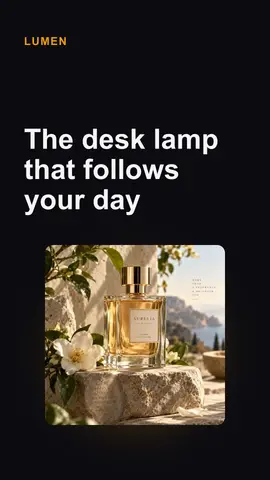
Event Promo Video FAQ
Promote Your Next Event
Paste the event details, let AI write the highlights for free, check the frames, and render an event promo video in vertical, wide or square format. See all AI video templates.
Make an Event Promo Video