
Daily check-in: 15 free credits · Claim every day for AI images. Credits never expire. Resets at 00:00 UTC.
Lower Third Generator for Name and Title Banners
This lower third generator introduces one to three people with animated name and title banners, like the captions on news and interview shows. Pick clean, bold or neon, add an optional background photo, and render an MP4 in 9:16, 16:9 or 1:1.
Images (optional)0/1
Pick from your AI images or upload JPG, PNG or WebP. They play in this order.
0/600
Writing the copy and checking frames are free. Only the final render uses credits.
Your video plays here
Pick a template, describe your video and let AI write the copy. Check the frames, then render.
History
Your rendered videos will show up here.
Lower Third Banners That Wipe In and Out
A lower third is the caption bar at the bottom of the screen that tells viewers who is speaking. This lower third generator gives each person one 4-second beat: the banner wipes in with their name and role, holds, and wipes out half a second before the next person appears. One person makes a 5-second clip, two people make 9 seconds, and three people make 13 seconds. Names can be up to 28 characters and roles up to 44, so a full name with a title and organization fits on one plate. The layout adapts to vertical, wide and square frames, keeping the banner in the lower part of the picture where viewers expect it. Each banner leaves the screen before the next one arrives, so two names never overlap.
Clean, Bold or Neon Styles in the Lower Third Generator
Three looks in the lower third generator cover most productions. Clean is a white plate with dark text and a slim accent bar, the right choice for interviews, corporate video, webinars and documentaries. Bold drops the bar for a wide, heavy plate that suits sports, events and high-energy content. Neon glows in your accent color, made for gaming streams, nightlife and music. Pick one accent color for the whole video, either your brand color or one AI suggests from the brief. Switching style never changes the names or roles, so you can compare all three looks of the lower third generator with the same people before you render. Neon in particular stands out over dark photos.
Your Photo or a Neutral Backdrop
Add one background photo, such as a still from your interview, a stage shot or a portrait, and the lower third plays over it with a gentle push-in. JPG, PNG and WebP files up to 10 MB work, from your uploads or from images you made with the AI image generator. Without a photo, the backdrop is a slow drifting blur of neutral tones, so the clip still works on its own as a title card. Note that the MP4 always has this background and no transparent channel. To overlay banners on existing footage, place the clip in your editor and cut it to the moment each speaker appears. A soft, slightly out-of-focus photo keeps the banner text easy to read.
AI Copy That Never Invents Credentials
Paste the names and roles in your brief, for example who is on the panel and where they work, and Write with AI formats them for free: the full name as it should appear on screen and a short role line of at most six words, no trailing period. It is instructed to use only the names and roles you give it and never to invent titles or credentials, which matters when real people appear on camera. A free AI frame check then previews a still of each banner and shortens any line that would overflow. You can edit every name, role, style and color before you render. In any lower third generator, correct spelling of names matters most, so check every name before you render.
How to Make a Lower Third in 3 Steps
- 1
Pick a frame and an optional photo
Choose 9:16, 16:9 or 1:1, then add a background photo from your uploads or AI images, or skip it to use the blurred backdrop. You can switch frames later without losing the names. Sign in first, because writing with AI and rendering both need a free account.
- 2
Add the names in the lower third generator
List the people and their roles in the brief and press Write with AI. The lower third generator formats the banners for free, and the frame check previews each one to confirm it fits. Prefer to type them yourself? Fill each name and role directly in the form. Spell every name exactly as the person writes it.
- 3
Choose a style and render
Pick clean, bold or neon, set the accent color, and render the MP4 for about 10 credits. Pair it with a logo intro to open the show. The finished MP4 stays in your history, ready to download again for the next episode. Download the file and place it in your edit where each speaker appears.
What Can You Make with a Lower Third Generator?
Interviews and Podcasts
Introduce the host and guests of a video podcast or an interview with clean banners that name each speaker and their role. Use the 16:9 frame for YouTube and the 9:16 frame for clips cut for Shorts. A lower third generator keeps the same banner style in every episode. Render one clip per guest to cut in at the exact moment they first speak.
Panels, Conferences and Webinars
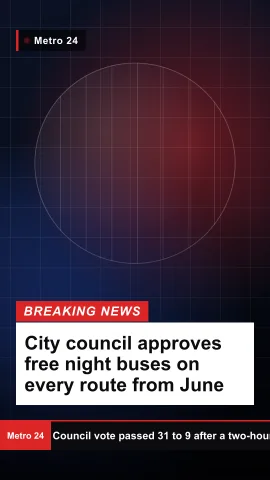
Credit up to three speakers in one clip before a panel starts, or render one clip per speaker to cut in when each person talks. Open the recording with a breaking news style bumper for live event updates. Keep the same style and accent color for every speaker at the event.
Sports and Esports Broadcasts
Name players, coaches and casters with bold or neon banners in your team colors. Neon in particular suits stream overlays and esports highlight reels. Match the accent color to the team or event brand. Bold style keeps names readable on small phone screens.
Social Intros and Team Videos
Introduce your team members in a short vertical post, one banner each over their photo. Follow it with a customer testimonial video or a quote video from your founder. Clean style and a soft photo keep the focus on the person. Use the 9:16 frame for team posts on Instagram and LinkedIn.
Related video templates
All templates
Lower Third Generator FAQ
Create Your Lower Third Now
Type the names and roles, let AI format the banners for free, pick clean, bold or neon, and render an MP4. Explore more broadcast video templates.
Make a Lower Third