
Daily check-in: 15 free credits · Claim every day for AI images. Credits never expire. Resets at 00:00 UTC.
AI Chat Video Maker: Type a Prompt, Stream the Answer
This AI chat video maker shows a generic AI assistant chat where your prompt is typed, sent, and the answer streams in word by word. Script one to three exchanges for free with AI, pick a dark or light theme, and render an MP4 in 9:16, 16:9 or 1:1.
0/600
Writing the copy and checking frames are free. Only the final render uses credits.
Your video plays here
Pick a template, describe your video and let AI write the copy. Check the frames, then render.
History
Your rendered videos will show up here.
An AI Chat Video Maker That Feels Live
The moment people love in AI demos is watching the answer appear. This AI chat video maker recreates it in a clean, generic chat interface: the prompt is typed into the input, sent, thinking dots pulse for a moment, and the answer streams in word by word, then holds so viewers can read it. Each exchange gets 8 seconds after a 1-second lead, so one exchange makes a 9.5-second video, two make 17.5 seconds and three make 25.5 seconds. Prompts can be up to 100 characters and answers up to 280, enough for a tip, a recipe idea or a short explanation. The layout adapts to vertical, wide and square frames. Long answers scroll inside the thread, so the newest words always stay in view.
A Generic Assistant, Named by You
The chat interface is not a copy of any real product. You give the assistant a name of up to 20 characters, such as your own product, a character, or simply Assistant, and pick a dark or light theme with one accent color. That makes the AI chat video maker safe for brand content: you can show how your own assistant answers, or create a fictional helper for a sketch, without borrowing the name, logo or look of someone else's app. If you showcase what a real tool said, keep the wording accurate and present the video as a reenactment, not a screenshot.
AI Scripts the Prompt and the Answer
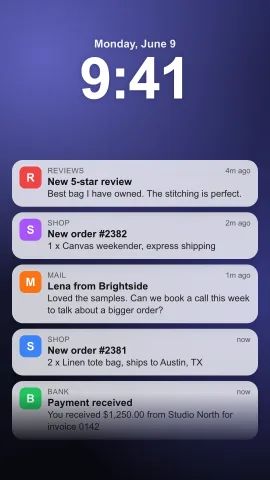
Describe the idea, for example three questions a beginner asks about saving money, and Write with AI scripts the assistant name, each prompt and each answer for free, within a daily limit. Answers are helpful and specific, at most fifty words, in plain sentences without markdown, bullet symbols or emoji, so they read well as they stream. A free AI frame check then previews four stills from across the chat and shortens anything that would overflow. You can rewrite every line yourself afterwards. For a two-person conversation instead, use the text message video maker, and for a stack of phone alerts, use the notification video maker. Each new draft from AI replaces the fields, so copy any line you want to keep first.
Clear Pricing for One to Three Exchanges
Rendering costs depend on length. Renders up to 20 seconds cost about 10 credits, so one or two exchanges cost about 10 credits. Three exchanges run 25.5 seconds, and each started 10 seconds after the first 20 adds 4 credits, so that video costs about 14 credits. The price on the Render button updates live as you add or remove an exchange, so there are no surprises. The MP4 downloads as soon as it finishes. Want to generate a fully original clip from a text prompt instead of a chat interface? Try the AI video generator. Each render is charged once, and the file stays in your history.
How to Make an AI Chat Video
- 1
Choose a frame for the chat
Pick 9:16 for TikTok, Reels and Shorts, 16:9 for YouTube and tutorials, or 1:1 for feeds. No photos are needed. You can switch frames later without losing the script. Sign in first, because writing with AI and rendering both need a free account.
- 2
Script the chat in the AI chat video maker
Describe the questions you want to show and press Write with AI. The assistant name, prompts and answers appear for free, and the frame check previews four stills to confirm the answer fits. Prefer to write it yourself? Type each prompt and answer directly in the form. Make the first prompt the hook, so viewers want to see the answer.
- 3
Pick a theme and render
Choose dark or light, set the accent color, edit any line, and render the MP4. See the other social video templates for more ideas. The finished MP4 stays in your history, ready to download again or edit for the next episode. Download the file and add music or typing sounds in any editor before you post.
What Can You Make with an AI Chat Video Maker?
AI Tips and Prompt Ideas
Share a useful prompt and the kind of answer it gets, one exchange per video, as a series. Prompt tutorials are a popular format for tech creators and educators. An AI chat video maker lets you post a new tip every day with the same look. Number the episodes, such as Prompt 1 and Prompt 2, so followers can find the series.
Product Demos for Your Own Assistant
Show how your support bot or AI feature answers real customer questions, using its real name and accurate answers. End with the product promo video maker for the offer. Keep every answer accurate to what your product really does. Use your product name as the assistant name.
Comedy and Character Sketches
Script an assistant with a dramatic personality, or a user who asks increasingly strange questions. Three exchanges give room for a setup, a build and a punchline. Keep the jokes about the characters, not about real people.
Explainers and Study Notes
Answer a question about history, science or money in under 280 characters per answer. Open with a hook from the kinetic typography generator. Keep each answer to one clear point. Use the light theme for a clean, classroom look.
Related video templates
All templates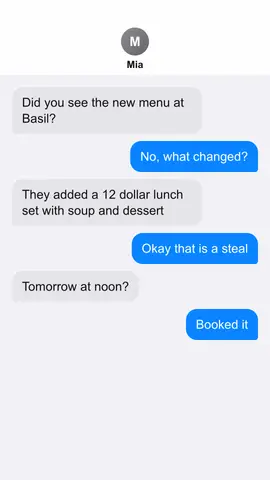

AI Chat Video Maker FAQ
Create Your AI Chat Video
Describe the questions, let AI script the chat for free, pick a theme, and render a video where the answer streams in live. Browse all AI video templates.
Make an AI Chat Video