
Daily check-in: 15 free credits · Claim every day for AI images. Credits never expire. Resets at 00:00 UTC.
Fake Text Message Video Maker for Text Stories and Skits
Create a fake text message video that plays a phone chat bubble by bubble, perfect for text story skits, comedy bits and customer stories. AI writes the conversation for free, a frame check confirms every bubble fits, and you render an MP4 in 9:16, 16:9 or 1:1.
0/600
Writing the copy and checking frames are free. Only the final render uses credits.
Your video plays here
Pick a template, describe your video and let AI write the copy. Check the frames, then render.
History
Your rendered videos will show up here.
A Text Message Video That Plays Like a Real Chat
Chat story videos keep people watching because every new bubble is a small reveal. This template shows a phone conversation with a named contact at the top, and one message arrives every 1.6 seconds. Bubbles on the me side sit on the right and bubbles from them sit on the left, just like a real messaging app, and the thread scrolls to keep the newest message in view. A conversation of four bubbles runs about 8 seconds, and ten bubbles run 18 seconds. You choose a light or dark theme, and the phone layout adapts to vertical, wide and square frames so the chat looks natural on TikTok, YouTube or a feed. Long messages wrap inside the bubble, just like in a real messaging app.
AI Writes the Chat Story with a Hook and Payoff
Describe the situation in a sentence, such as a friend who discovers a cheap lunch deal or a customer who asks a funny question, and Write with AI scripts the conversation for free. It writes like real chat: short casual lines, one idea per bubble, no hashtags, a hook in the first message and a payoff in the last. It alternates the sides naturally, and two bubbles in a row from one person are fine. Each message stays within 80 characters so it fits the bubble. You can then rewrite any line, flip a side, or add and remove bubbles to tune the comic timing of your fake text message video.
Fake Text Message Videos for Fiction, Not Deception
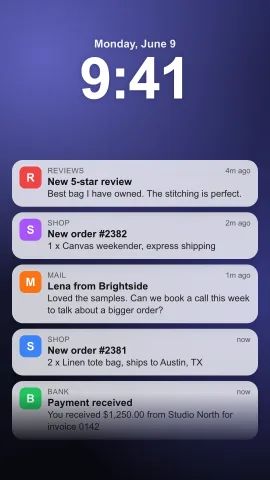
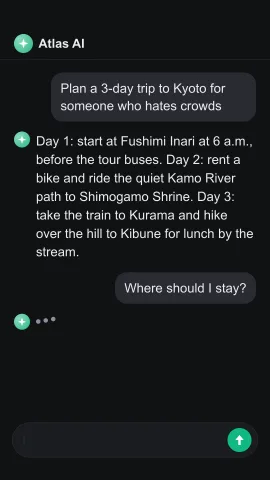
A fake text message video is a storytelling format: a skit, a sketch, a dramatized scenario or a product story told as a chat. Use it for content that is clearly entertainment or illustration. Do not present a made-up conversation as a real screenshot of a real person, and do not use it to mislead, impersonate or harass anyone. A simple caption such as a skit or a dramatization keeps your audience in on the joke. For a different chat style, the AI chat video maker shows a prompt and an assistant answer, and the notification video maker stacks lock screen alerts.
Free Frame Check and Easy Edits
Before you spend credits, a free AI frame check renders four stills from across the conversation and looks for bubbles that are cut off or hard to read. When a message is too long for the bubble, it shortens it for you. After the check, every field stays editable, from the contact name of up to 20 characters to the text and side of each bubble and the theme. Rendering a fake text message video up to 20 seconds costs about 10 credits, and the MP4 downloads as soon as it is ready. The copy can be written in English or Chinese, matching the language of the page you use.
How to Make a Text Message Story Video
- 1
Pick a frame for the chat
Choose 9:16 for TikTok, Reels and Shorts, 16:9 for YouTube, or 1:1 for square feeds. No photos are needed for this template. You can switch frames later without losing your conversation.
- 2
Write the fake text message video script with AI
Describe the story and press Write with AI. The contact name and four to ten bubbles appear for free, with a hook first and a payoff last. The free frame check previews four stills and fixes any bubble that overflows. Prefer to write it yourself? Type each bubble and choose its side directly.
- 3
Edit the bubbles and render
Rewrite lines, swap sides, pick a light or dark theme, and render the MP4 for about 10 credits. Post it with a caption that marks it as a skit or story. The finished MP4 stays in your history, so you can download it again or render the next episode.
What Can You Make with a Text Message Video?
Comedy Skits and Relatable Moments
Script the group chat after a bad haircut, the parent who discovers emojis, or the friend who always cancels plans. Short text story videos with a twist at the end are made to be shared and stitched. A good fake text message video saves the twist for the last bubble.
Customer Stories for Brands
Show a customer problem and how your product solves it as a dramatized chat, such as a friend recommending your app. Follow it with the product promo video maker to state the offer, or add real quotes with the testimonial video template. Make sure every claim in the chat matches what your product really does.
Serialized Fiction
Tell a mystery, a romance or a horror story in episodes, one conversation per video. Ten bubbles give you room for a cliffhanger, and a consistent contact name and theme make the series recognizable. Keep the same contact name across episodes so followers know which story continues.
Tips and Explainers in Chat Form
Answer a common question as a conversation between a beginner and an expert. The question and answer format feels lighter than a lecture and is easy to follow on mute. A friendly contact name, such as Coach or Chef, sets the tone at once. Use the last bubble for the key takeaway.
Related video templates
All templates
Fake Text Message Video FAQ
Write Your Chat Story Now
Describe the scene, let AI write the conversation for free, check the frames, and render a text story video in minutes. See all AI video templates for more social formats.
Make a Chat Story